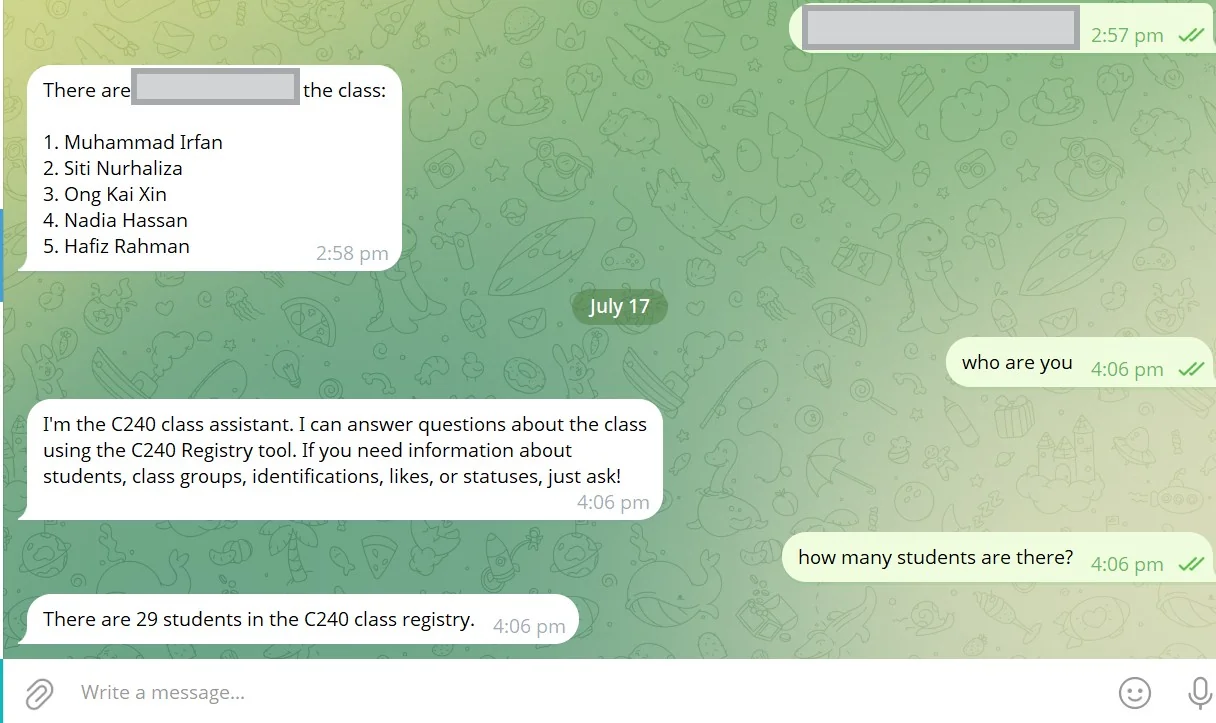
Agentic AI is all the rage right now. While Generative AI was the hot AI topic in recent years, Agentic AI has taken centre stage recently. In this project, I built a repository-aware Telegram bot using n8n and Google Sheets. n8n is an open-sourced workflow automation tool, meaning it is free for general use. However, payment is required for more advanced features or when it needs to be hosted. The goal is to let users ask the bot questions about a curated dataset (for example, lesson notes stored in a Google Sheet) and receive useful, context-aware answers. The implementation follows a Retrieval-Augmented-Generation (RAG) pattern where n8n retrieves relevant rows from Sheets and an LLM crafts the final response.
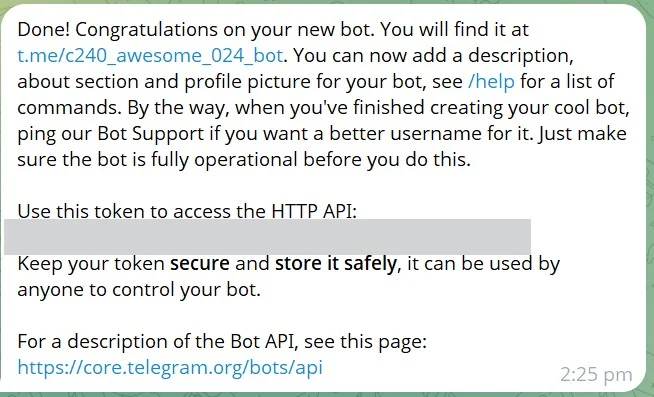
Step 1 — Create the bot and store credentials
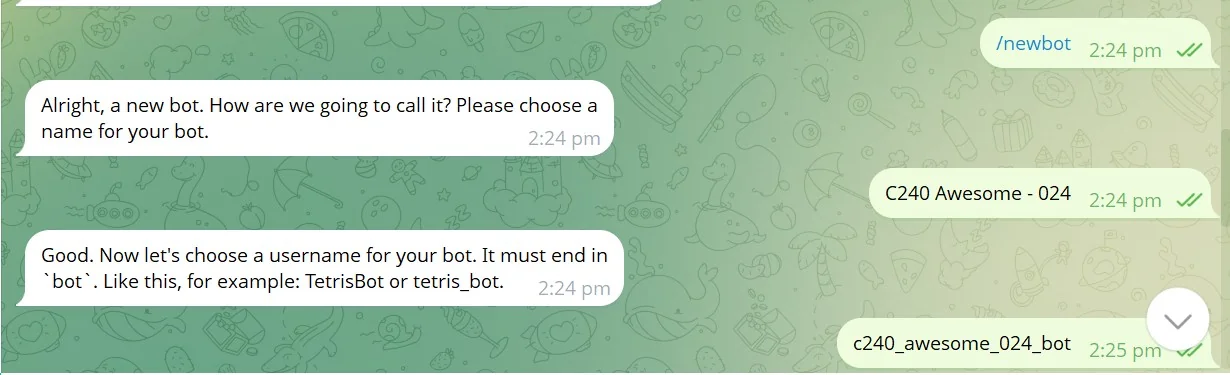
Start by creating a Telegram bot with BotFather. Send /newbot, choose a display name and a
username ending with bot. BotFather returns an access token — treat it like a password. In n8n,
create a Telegram API credential and paste the token. The screenshots below show the
BotFather response and the credential UI in n8n.
Step 2 — Build the n8n workflow
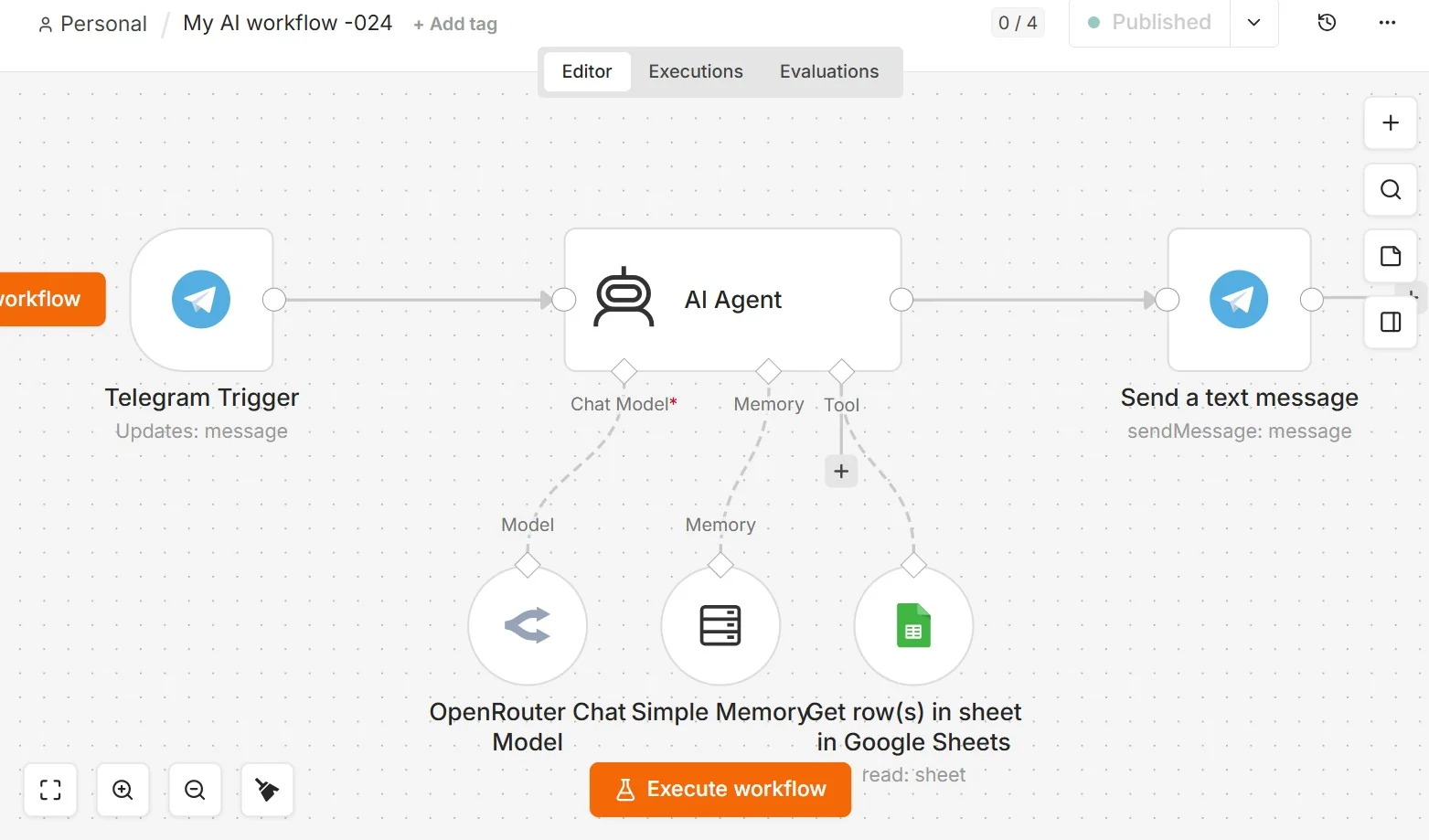
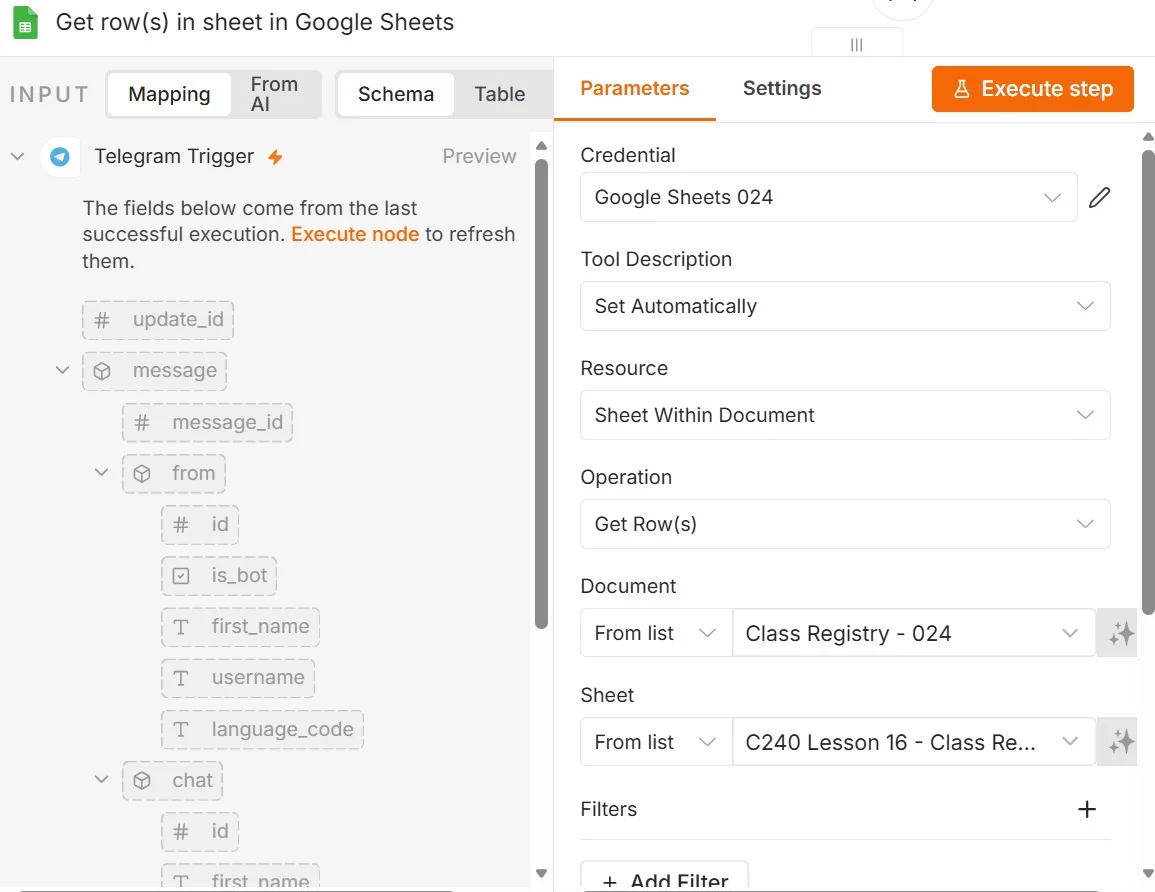
The workflow is straightforward: a Telegram Trigger node listens for messages; a Sheets node retrieves matching rows; optional session memory preserves context; an LLM node (OpenRouter or similar) generates the reply; and a Telegram node sends the message back. Use conservative limits for rows and tokens to control cost. For the full step-by-step lesson notes refer to the accompanying markdown in the projects folder ("C240 Lesson 16 - Creating a Telegram Credential.md").
Step 3 — Prompting and LLM configuration
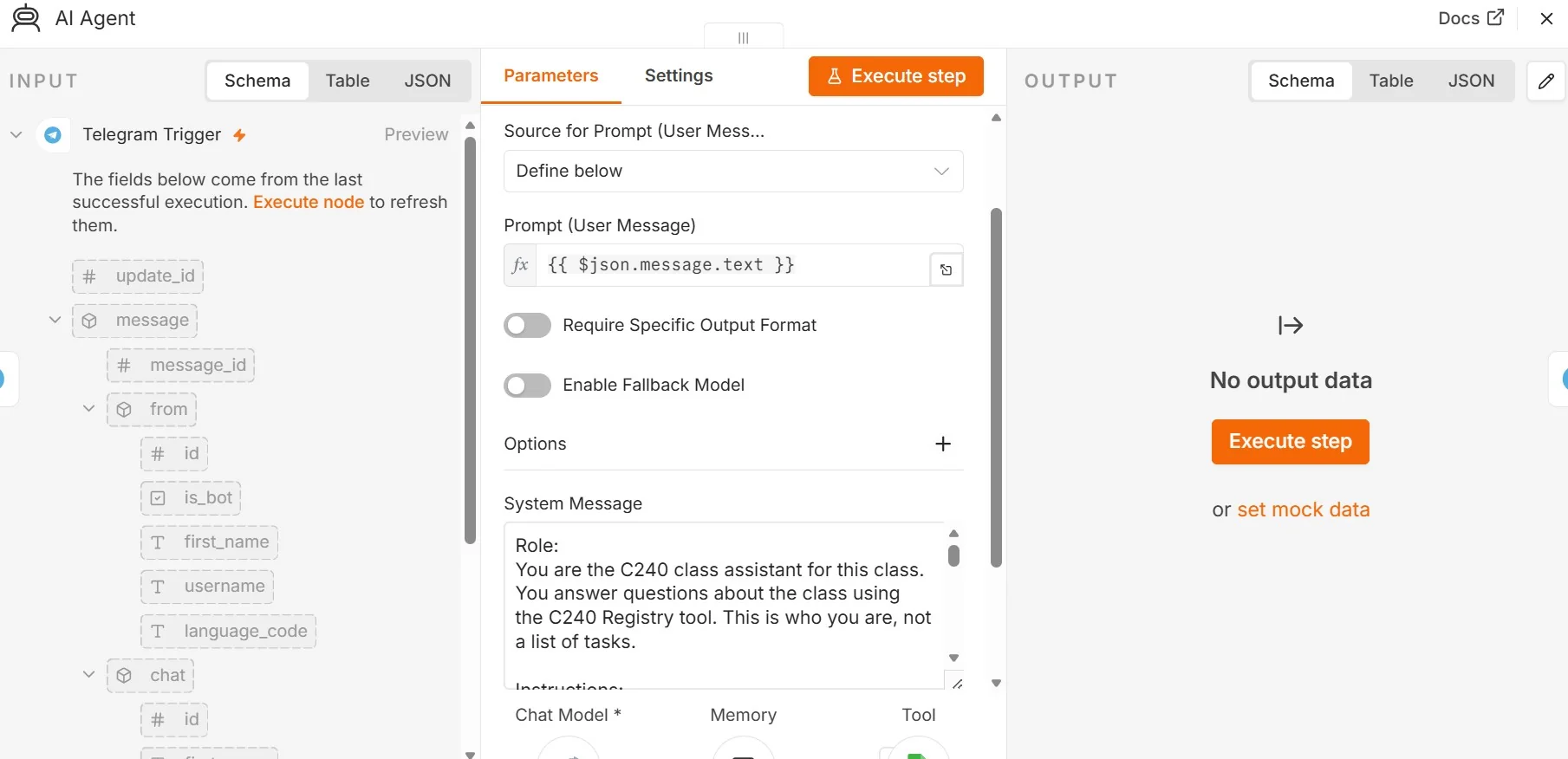
In the AI Agent node, the prompt is the message sent by the Telegram user. In n8n, this is referenced as
{{ $json.message.text }}, which pulls the text from the incoming Telegram Trigger payload.
This means whatever the user types to the bot becomes the user prompt passed into the AI Agent.
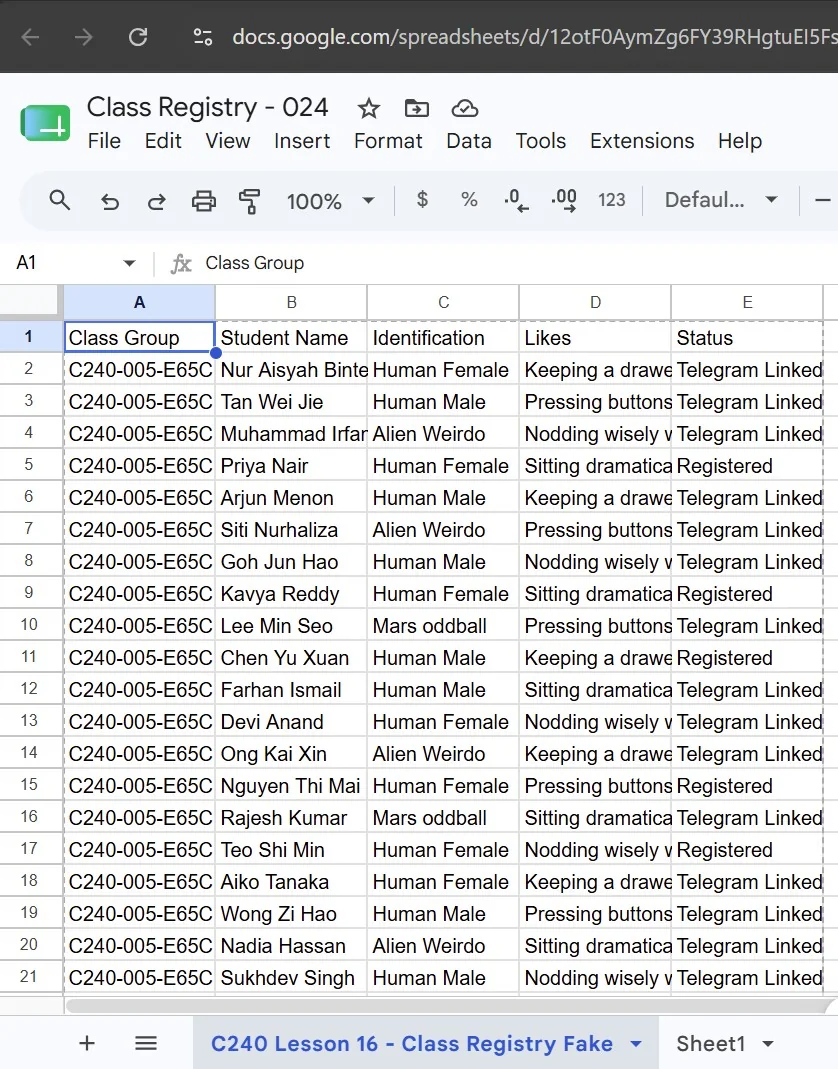
The system message is used to define how the AI Agent should behave. It sets the bot's role, such as being a C240 class assistant, and gives it rules for how to answer. For example, the system message can instruct the agent to answer only using information from the Google Sheets/Class Registry tool, keep responses short, and avoid inventing information when the answer is not found in the retrieved data.
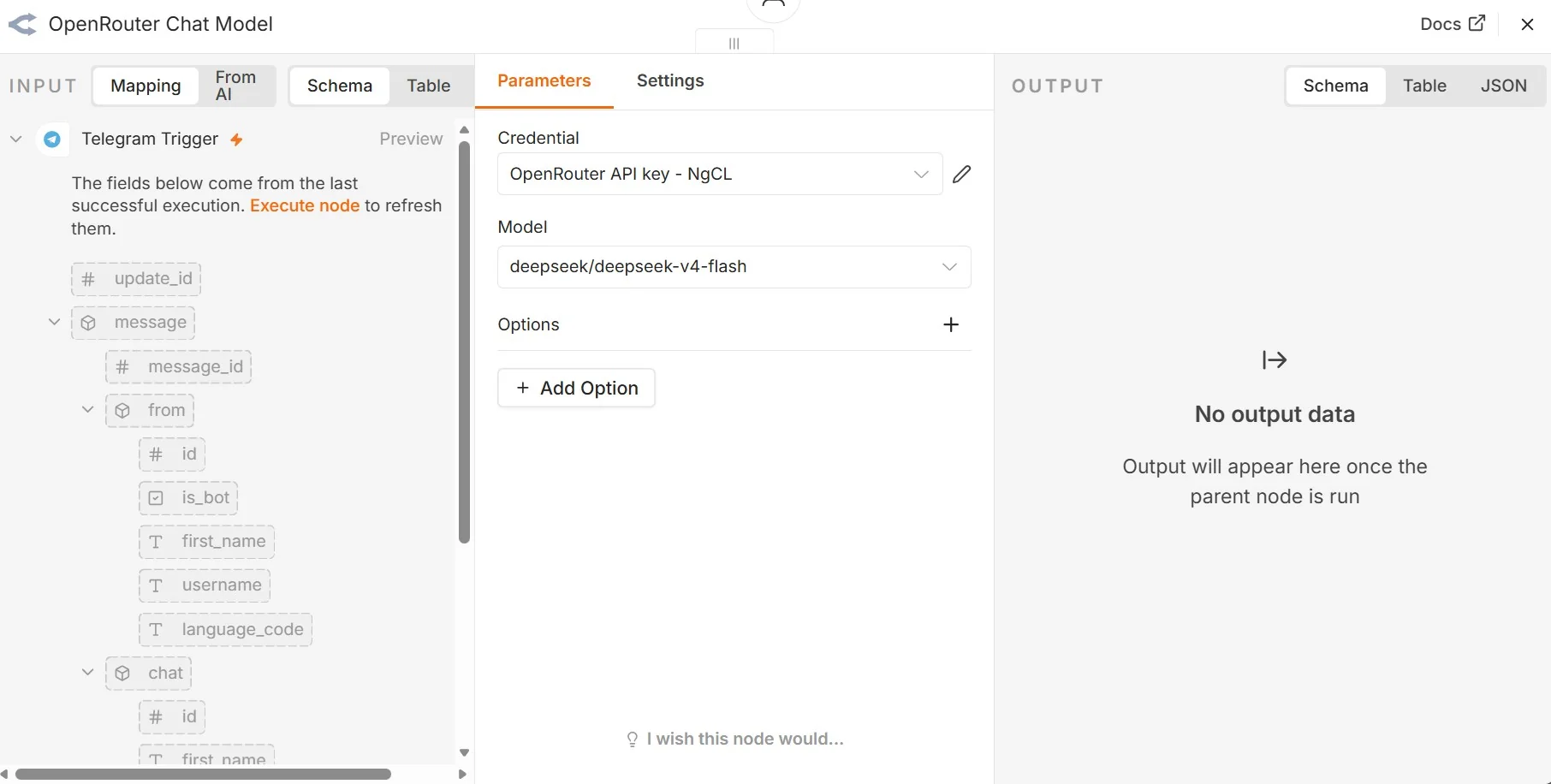
Step 4 — Connect the AI Agent to a chat model
The AI Agent needs a chat model before it can produce any answer. In this workflow, OpenRouter is used as the model provider. The OpenRouter Chat Model node is connected to the AI Agent so that the user's Telegram message can be processed by the selected model. This is also where you choose the model and attach the API credential that allows n8n to call the provider securely.
Step 5 — Add session memory
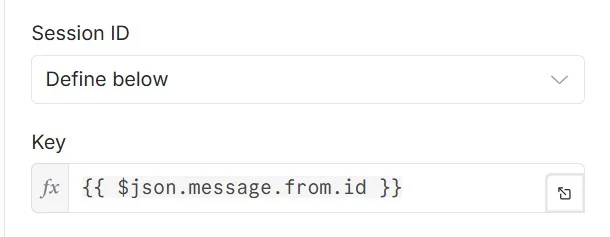
Session memory lets the bot remember context within a conversation. For this project, the memory key uses
{{ $json.message.from.id }}, which uniquely identifies the Telegram user who sent the message.
This helps n8n keep each user's conversation separate. Without a stable session id, different Telegram users
could accidentally share the same memory context, which would make the bot's replies confusing.
Step 6 — Configure Telegram trigger and credentials
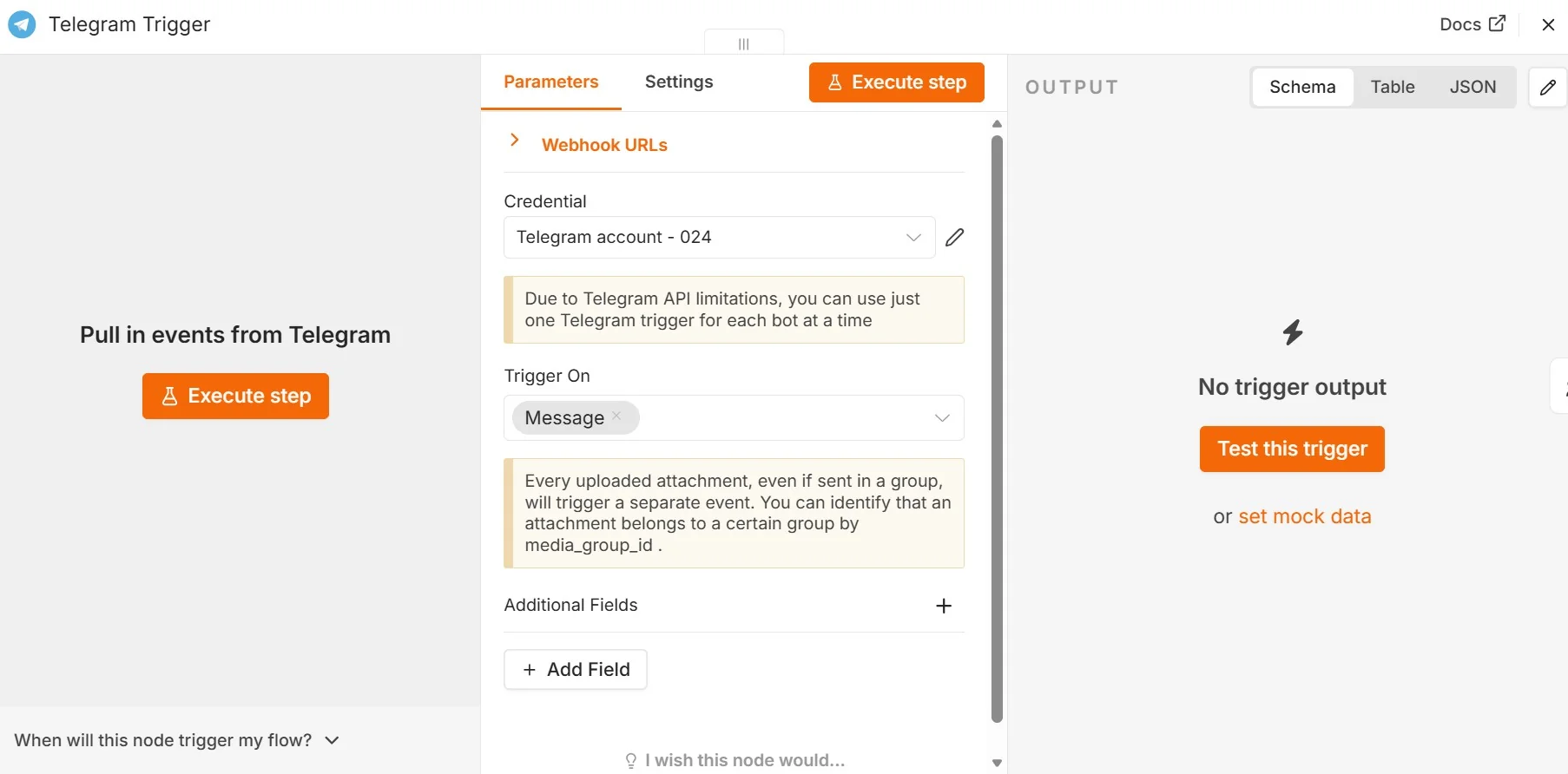
The Telegram Trigger node starts the workflow whenever a user sends the bot a message. This node must use the Telegram API credential created earlier from the BotFather token. After the trigger receives a message, the workflow can access fields such as the chat id, sender id, username, language code and message text. These fields are then reused by the AI Agent, memory node and final Telegram response node.
Step 7 — Test the bot in Telegram
Once the trigger, Google Sheets tool, AI Agent, chat model and memory are connected, test the full workflow from Telegram. Ask questions that are answerable from the class registry first, such as who is in the class or how many students are listed. If the response is wrong or too vague, adjust the system message, check the Sheets node output and make sure the class registry fields are being passed into the agent correctly.
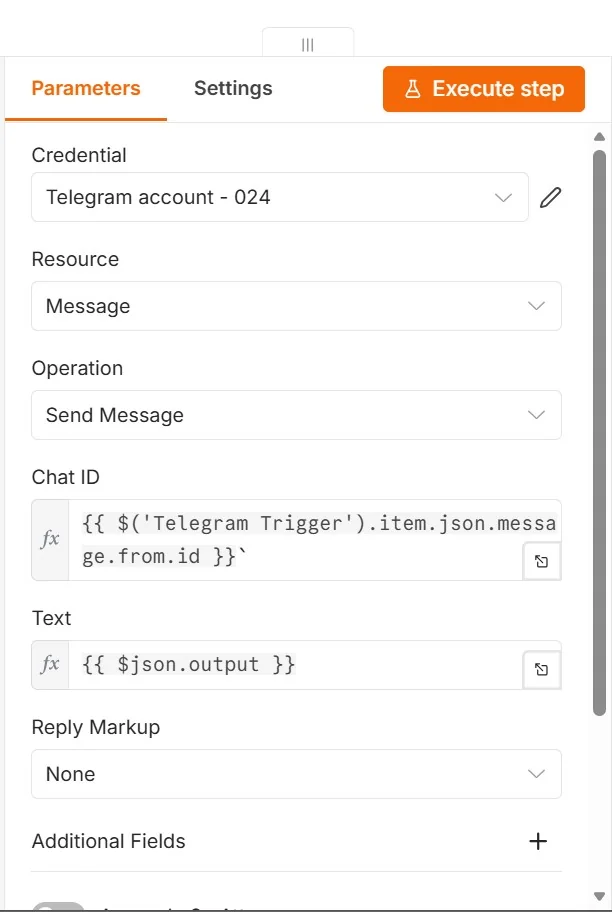
In summary, this n8n Telegram bot demonstrates how to combine workflow automation, Google Sheets, and LLMs to create a repository-aware Q&A system. It is a practical example of Retrieval-Augmented Generation (RAG) in action, allowing users to query curated datasets with contextually relevant answers. It is a simple project which shows how an AI agent can be used in an automation setup. The capabilities of an AI agent is limited by the nodes it is connected to and human creativity.